

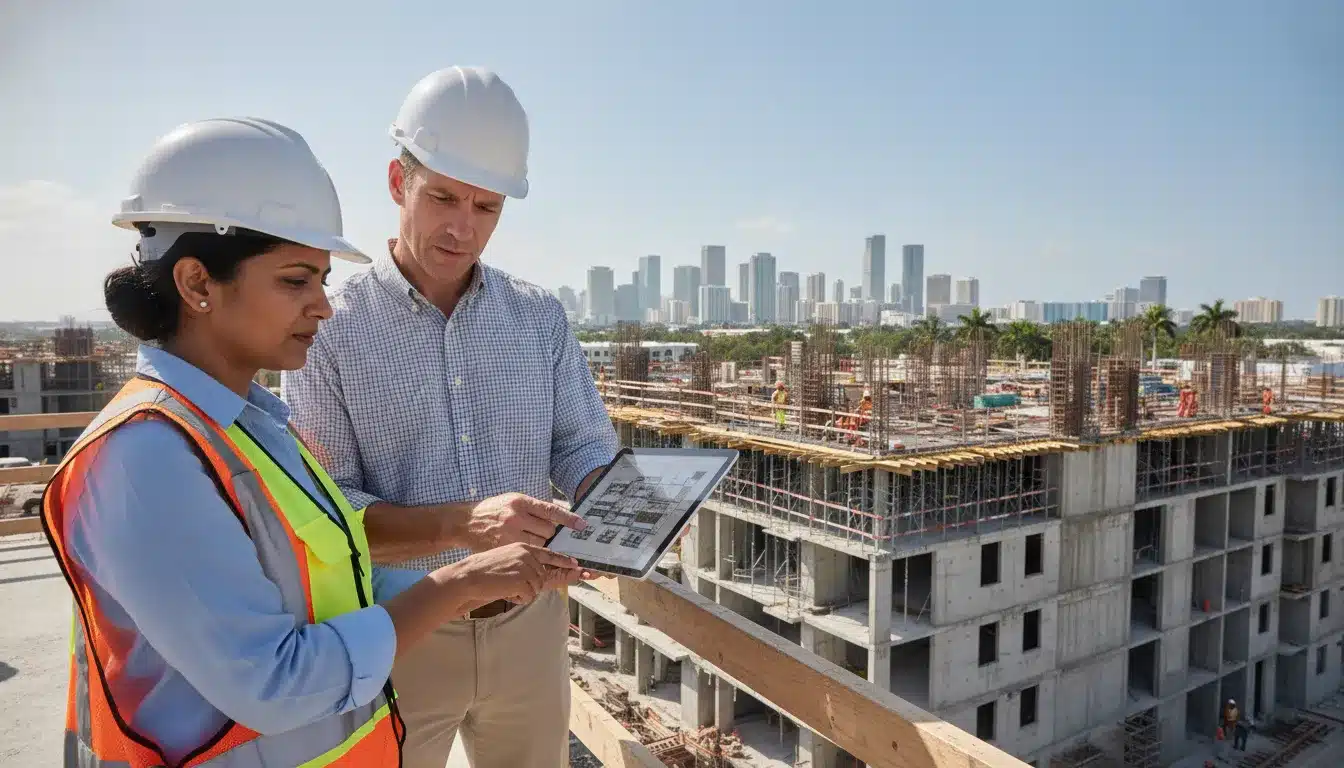
The city of miami building permit process for a commercial project runs through the City of Miami’s digital permitting system. The sequence starts with scope and an iBuild application. Next, pay any required upfront fee, upload plans through ProjectDox, answer review comments, pull the approved permit, schedule inspections, and close the job with the required certificate. The City of Miami Building Department is the municipal authority for this workflow. That process is different from applying through Miami-Dade County.
Request a commercial permit proposal for your Miami project.
Commercial guide to the City of Miami Building Permit Process
Use this sequence to keep the commercial permit record complete:
- Confirm the City of Miami jurisdiction and project scope.
- Create the building permit application in iBuild.
- Pay any required upfront fee and complete the ProjectDox upload task.
- Track acceptance, review comments, corrections, and resubmittals.
- Complete approval, contractor, fee, and permit-pull steps.
- Coordinate inspections by permit holder and phase.
- Resolve final items and request the correct certificate.
City of Miami vs. Miami-Dade County: Confirm the AHJ first
“Miami” can refer to multiple permitting authorities. This guide covers work inside the incorporated City of Miami that is processed through the City’s Building Department and iBuild. It does not replace the Miami-Dade County process for unincorporated areas or another municipality. The City’s permit guide identifies several separate City pathways, including Building, Resilience and Public Works, Planning, and Office of Zoning. It also warns that some projects may need approvals from other departments or government entities. Review the City of Miami’s permit guide before selecting a portal.
For a parcel outside the City of Miami, start with the responsible municipality or Miami-Dade County’s permit resources. The distinction matters because the application portal, document workflow, fee schedule, review queue, inspection request process, and closeout requirements can change with the enforcing agency. A City of Miami iBuild submission is not a countywide permit application.
City of Miami commercial permit process at a glance
The sequence below is a practical project-control framework built from the City’s published guide, iBuild instructions, ePlan directions, fee schedule, inspection page, and certificate guidance. The exact documents and reviews depend on the scope, property, occupancy, permit type, and any outside-agency conditions. The City states that its application process communicates the documents required for the requested permit.
| Stage | Primary City system or action | Commercial project control |
|---|---|---|
| 1. Scope and jurisdiction | Confirm City of Miami authority and permit type | Separate City permits from county, state, utility, zoning, and other approvals. |
| 2. Application | iBuild | Create the application, identify the project, and follow the requested document list. |
| 3. Plan upload | ProjectDox through ePlan | Use the City’s naming convention and reserve space for the batch stamp. |
| 4. Acceptance and review | Permitting Coordinator and review disciplines | Track status, comments, corrections, and resubmittal completeness. |
| 5. Fees and issuance | iBuild | Review the calculated fees, add or update the contractor if required, and pull the permit. |
| 6. Construction inspections | iBuild inspection scheduling | Each permit holder requests the inspections tied to its permit or sub-permit. |
| 7. Closeout | Final inspections, CO, CC, TCO, or TCC | Resolve open items and request the certificate that matches the project status. |
1. Define the commercial scope before you apply
Start with a permit matrix, not a portal login. Identify whether the work is new construction, an alteration, a renovation, a shell building, a change of use, or a combination of building and trade work. List the building, electrical, plumbing, mechanical, fire, site, right-of-way, zoning, and occupancy-related approvals that may apply to the scope. Florida law generally prohibits constructing, altering, repairing, modifying, or demolishing a building without first obtaining a permit from the appropriate enforcing agency, subject to statutory exceptions. See Florida Statutes section 553.79.
For a commercial team, the pre-application check should also confirm the property’s municipal jurisdiction, proposed use, responsible design professionals, contractor or qualifier information, and any known outside-agency dependency. The City explains that a building application may require Miami-Dade approvals for matters such as environmental or water and sewer review, or payment of impact fees, depending on the project. Use the City’s guide to identify those possible dependencies.
This is also the right point to decide who will own the permit log. A complete log should show the application number, project number, permit and sub-permit numbers, responsible permit holder, review status, outstanding comments, fee status, inspection status, and closeout documents. That record prevents a master permit from appearing complete while a trade sub-permit or outside approval remains open.
2. Create the iBuild application
Building permit applications begin in iBuild, the City’s online permitting platform. The City describes iBuild as the place to apply for permits, manage applications, request private providers, track applications, print approved permits, extend permits, schedule inspections, and make payments. Open the official City of Miami iBuild portal resource.
A first-time user must create an iBuild account with a working email address. The City’s account instructions direct applicants to the iBuild page, the account-creation option, the required identity and email fields, and email confirmation. Follow the current iBuild account instructions rather than an old third-party walkthrough.
During intake, select the building permit pathway and provide the project information requested by the City. Do not assume a general forms page starts an application. The City says its forms and documents page is primarily a resource library and that applicants should use the permitting pathway or guide to begin. Check the City’s permitting forms and documents guidance.
3. Assemble documents and submit through ePlan
After the iBuild application is submitted, the digital plan workflow uses ProjectDox as part of the City’s ePlan review system. The City distinguishes the two functions: iBuild handles permit applications and management, while ProjectDox handles electronic review of the drawings and documents associated with the application. Read the City’s ePlan and ProjectDox FAQ.
The City does not allow an applicant to upload plans for a building permit before the permit application has been submitted. Its electronic-submittal instructions also state that applicable upfront fees must be paid before plans and documents can be submitted. Review the City’s electronic plan-submission steps.
Once the application and any applicable upfront payment are in place, watch for the ProjectDox applicant upload task. Name every drawing page according to the City’s standard naming convention. The City says each drawing page must be submitted as a single file, while other documents may be multi-page, and that failure to follow the naming convention can prevent acceptance. Confirm the current file rules before packaging a commercial plan set.
Leave the upper-right corner of each drawing clear for the City’s batch stamp. The required blank area varies with sheet size, so the design team should check the City’s current dimensions before exporting the final set. A title block, consultant stamp, or other content in that area can create avoidable resubmittal work. Use the City’s batch-stamp instructions for the applicable sheet sizes.
In ProjectDox, filter the task list by project number or project name, accept the Applicant Upload task, select the drawing folder when appropriate, and upload the files. Keep a transmittal record of what was uploaded, when it was uploaded, and which team member completed the task. The City’s instructions describe this ProjectDox sequence and the available upload methods. See the official upload workflow.
4. Acceptance, plan review, corrections, and resubmittal
Uploading a plan set is not the same as acceptance. The City says a Permitting Coordinator reviews the application and submittals for acceptance before the project moves into phase review. That intake checkpoint is where missing or incorrectly packaged material can stop the project before discipline reviewers complete their work. Follow the City’s acceptance and review sequence.
For the first review cycle, the City publishes an estimated period of approximately 14 business days for building permit applications. That is a City estimate for the first review cycle, not a promise that every commercial permit will be issued in 14 business days. The total schedule can change with application acceptance, correction cycles, outside approvals, fee status, contractor information, project complexity, and the time the applicant takes to respond. Use the City’s guide for the current estimate and process qualifications.
When comments arrive, assign each one to the responsible architect, engineer, contractor, or owner representative. Prepare a comment response matrix that identifies the reviewer comment, response, revised sheet or document, and upload status. Upload the corrected set through the active ProjectDox task instead of emailing an unofficial replacement. The City’s ePlan materials explain that ProjectDox is used to upload documents and to review and respond to City comments. Use the City’s ePlan and ProjectDox FAQ as the system reference.
Before resubmitting, verify that every requested correction is addressed and that the sheet naming, file packaging, and batch-stamp clearance remain compliant. One unresolved comment or missing revision can extend the review cycle. This is where active permit management support can reduce administrative gaps without changing the design professional’s responsibility for technical content.
5. Understand City of Miami commercial permit fees
There is no single flat commercial permit price that can be responsibly quoted without the project scope and declared construction value. The City maintains a building fee schedule adopted by City Commission resolution, and the current schedule should be checked before a budget or proposal is finalized. Review the City of Miami Building Permit Fee Schedule.
For commercial and multifamily master permits, trade permits, and stand-alone permits, the City’s published schedule bases the fee on the contractor-declared cost of construction up to the schedule’s threshold. It applies an additional calculation to the portion above that threshold. The schedule also states that a minimum permit fee applies regardless of construction cost or page count. Verify the current formula and minimums in the City’s schedule.
Budget for more than the base building permit line. Depending on the application, the fee schedule can include an application fee, upfront or dry-run fees, plan review-related charges, trade permit charges, surcharges, phased-permit charges, or other applicable items. The City states that upfront fees are collected during the application process. It also states that 80 percent of the collected amount is credited toward the building permit fee when issued. The upfront amount is non-refundable but credited toward the permit cost. Use the current City schedule for the applicable fee lines.
The schedule also addresses private-provider fees and work started without permits. A private-provider arrangement can affect the fee calculation, and the schedule provides enhanced charges for work that began before permits were obtained. Do not assume a private provider or an after-the-fact application eliminates City fees or compliance obligations. Read the City’s fee provisions before selecting a review or inspection strategy. Florida’s enforcement statute separately authorizes reasonable fees adopted by the enforcing agency. See Florida Statutes section 553.80.
6. Approval, contractor information, and permit pull
After the Building Department approves the application, the City guide directs applicants to complete any remaining finalization steps. For some projects, that can include adding or updating the contractor in iBuild and uploading the required signed and sealed contractor document through ProjectDox. The exact requirement depends on the permit and the information already on file. Follow the City’s approval and contractor-finalization instructions.
Once the approval email arrives, return to iBuild to pull the permit and review the detailed permit information and fees. Contractors who qualify under the City’s rules may be able to pull master or sub-permits online. The permit is not ready for construction simply because a plan review says approved; confirm the issuance and payment steps in iBuild and retain the permit record in the project file. Use the City’s guide for the current pull-and-pay sequence.
7. Schedule inspections by permit and phase
The City requires inspections for the phases of building work and states that each permit holder must request the inspection type tied to its permit. Building, electrical, plumbing, and mechanical work may therefore involve separate permit or sub-permit responsibilities. Review the City of Miami’s building inspection instructions.
The responsible requester depends on the permit relationship. The City states that a contractor is responsible for requesting inspections for the permits it holds, while trade subcontractors request inspections for their own plumbing, electrical, or mechanical sub-permits. The City’s page also distinguishes owner-builder responsibilities. For a commercial project, write the responsible requester into the inspection matrix rather than assuming the general contractor controls every inspection. Confirm responsibility with the City’s current inspection guidance.
Inspection requests require the applicable permit or sub-permit number. The City says inspections can be requested online and that applicants may request them up to five days in advance, with the usual timing described as the day after the request. Treat that as an operational estimate, not a guaranteed appointment. Verify the confirmation and inspection date after submitting the request. Use the official scheduling page for current instructions.
When an inspection fails, document the correction, responsible trade, revised work date, and reinspection request. The City says the inspector will notify the applicant of required corrections and that the process must be started again after corrections are completed. Keep inspection dispositions and correction evidence with the permit log. See the City’s correction and reinspection guidance. All Florida Permits also provides inspection management services for teams that need help tracking requests, dispositions, and follow-up.
8. Close out with a CO, CC, TCO, or TCC
A commercial project must use the certificate that matches its condition and permit record. The City explains that a Certificate of Occupancy, or CO, is issued for new construction or a change of use. A Certificate of Completion, or CC, is used for remodels, renovations, and shell buildings. The iBuild application indicates whether a CO or CC is required. Review the City’s CO and CC guidance.
Before requesting a CO or CC, confirm the permit number, full address including the unit when applicable, completion of outstanding revisions or requests, and approval of all final inspections. The City requires the permit to be final before issuing the certificate. For threshold buildings, the City also identifies additional record-submission requirements involving final laboratory test results. Check the City’s closeout requirements.
Online CO or CC requests are made through the City’s form and iBuild workflow. The City says that, after verification, the certificate may be available to print from the iBuild certificates tab within 3 to 5 days. It also describes an in-person option at the Miami Riverside Center, where a verified request can be received immediately. These timelines depend on a complete and correct record, so resolve open items before submitting the request. Use the official City page for the current request method.
If the project needs limited occupancy or completion before all final work is complete, review the City’s separate TCO or TCC process rather than treating a regular CO request as a temporary-occupancy application. Check the City of Miami’s TCO and TCC guidance.
Common commercial permitting delays in Miami
- Wrong authority: The project is submitted to the City of Miami even though the parcel is governed by another municipality or Miami-Dade County. Confirm jurisdiction before opening the application. Use the City’s guide to identify its departments and pathways.
- Incomplete intake: Required project documents or outside approvals are missing at application or acceptance. Use the City’s application instructions and document resources to build a project-specific checklist. Review the City’s document resources.
- Plan-set packaging errors: Drawing pages are not named individually or the batch-stamp area is not left blank. Follow the City’s ePlan file and sheet rules.
- Uncontrolled corrections: Review comments are answered without a comment matrix or without updating every affected sheet. ProjectDox is the City’s electronic review and response environment. Confirm the ProjectDox role in the City workflow.
- Fee surprises: The budget includes only a base permit line and omits application, upfront, trade, review, surcharge, or other applicable fees. Use the current City fee schedule.
- Incomplete closeout: Final inspections, revisions, contractor updates, or threshold records remain open when the CO or CC is requested. Use the City’s certificate checklist.
Request a proposal for City of Miami permit expediting and inspection coordination.
Frequently asked questions
How do I start a commercial building permit in the City of Miami?
Confirm that the property is within the City of Miami, create or access an iBuild account, and submit the building permit application through the City’s digital permitting workflow. After the application and any required upfront fee are complete, the City sends the ProjectDox upload task for plans and documents. See the City of Miami step-by-step permit guide.
Are iBuild and ProjectDox the same thing?
No. The City describes iBuild as the application and permit-management platform, while ProjectDox is used for electronic review of plans and documents as part of ePlan. A commercial team normally uses both systems at different stages. Read the City’s ePlan and ProjectDox FAQ.
How long does the City of Miami commercial permit process take?
The City publishes an estimated first review cycle of approximately 14 business days for building permit applications. That estimate does not guarantee total approval or issuance time. Acceptance, corrections, resubmittals, outside approvals, fees, contractor information, and finalization can add time. Check the City’s current timing guidance.
How much are commercial building permit fees in Miami?
The total depends on the declared construction cost, permit type, minimums, application and upfront charges, trade or review fees, surcharges, and other applicable items in the City’s current schedule. For commercial and multifamily permits, the published formula uses the declared construction cost and addresses amounts up to and above the schedule threshold. Review the current fee schedule before budgeting.
Can I upload commercial plans before submitting the permit application?
No. The City’s electronic-submittal instructions state that the permit application must already be submitted and that applicable upfront fees must be paid before plans and documents can be uploaded. Follow the City’s plan-submission prerequisites.
Who requests commercial inspections?
The permit holder requests the inspection tied to that permit. A contractor requests inspections for permits it holds, while trade subcontractors request inspections for their plumbing, electrical, or mechanical sub-permits. Confirm the requester and permit number in the project inspection matrix. See the City’s inspection responsibility guidance.
When is a CO or CC issued?
The City uses a CO for new construction or a change of use and a CC for remodels, renovations, and shell buildings. The permit must be final, outstanding revisions must be complete, and all final inspections must be approved. The City says a verified online request may be printable in 3 to 5 days, while a verified in-person request may be received immediately. Review the City’s CO and CC requirements.
Can a permit expediter manage the City of Miami process?
A permit expediting team can help organize the application, track ProjectDox tasks, monitor review comments, coordinate fee and contractor steps, and maintain inspection and closeout records. The applicant’s design professionals, contractor, and permit holders remain responsible for the accuracy of their technical documents and the work performed. Learn about All Florida Permits’ permit management services or request a project proposal.