

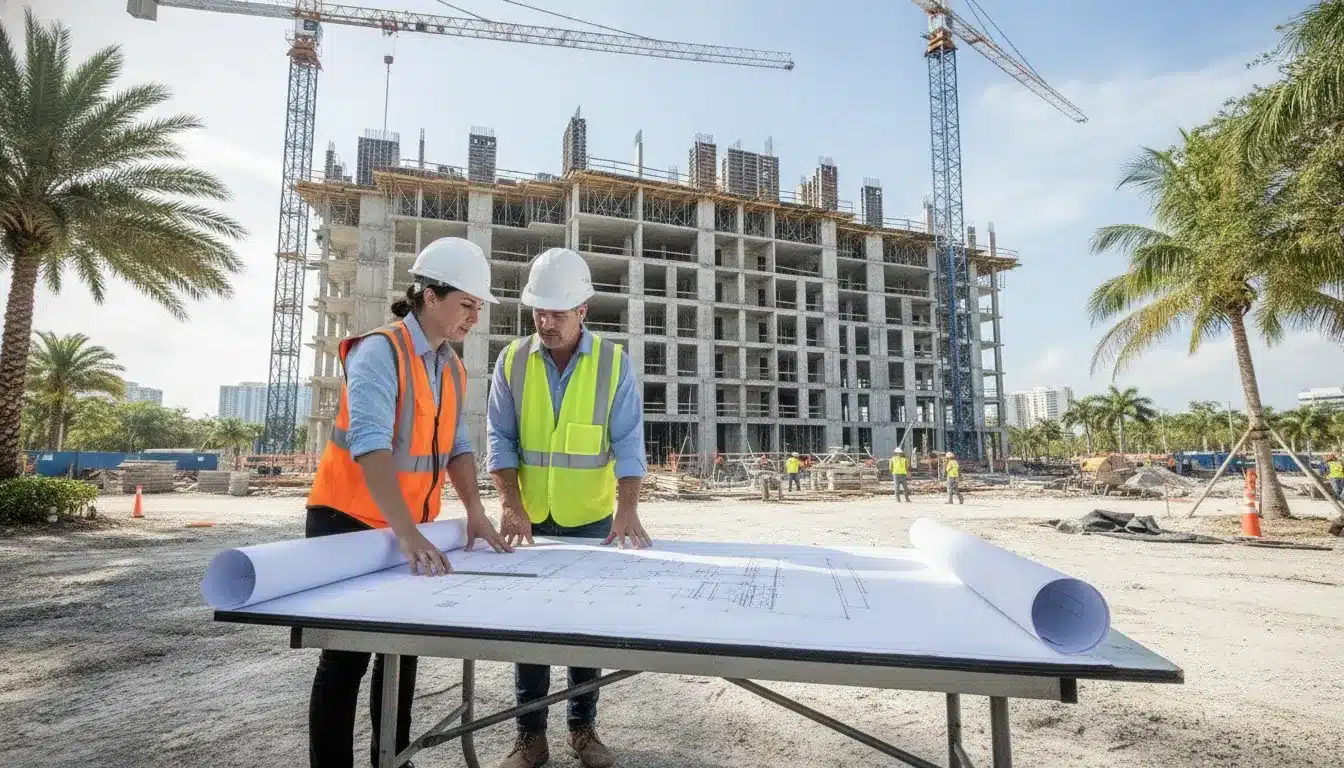
The city of hollywood building permit process for commercial work starts with the correct application route, a complete scope, and coordinated plans. New applications generally enter through the City’s Accela Citizen Access (ACA) portal, while existing BCLA records stay on the legacy route. The project team should confirm the record type before assembling documents, fees, reviews, inspections, and occupancy closeout.
Request a proposal for Hollywood commercial permit coordination
The city of hollywood building permit process routes new applications through the City’s ACA permitting portal, while existing BCLA records remain on the legacy route. The City’s published review guidance allows up to 30 working days after plans and specifications are submitted and reviewed, excluding Planning and Zoning, Engineering, and Fire review. Corrected resubmittals receive another review period. See the City’s permit guidance.
That distinction affects how contractors, developers, owners, and project managers assemble documents, track comments, and protect the construction schedule. The first decision is confirming which submission route applies to the permit record and project stage.
How does the City of Hollywood building permit process route new commercial applications?
The routing decision depends first on whether the application is new or tied to an existing permit record. For a new commercial building permit application, the City of Hollywood directs applicants to the Accela Citizen Access (ACA) portal. Applicants must create an ACA account before applying, and licensed contractors must register or update their registration there before they can be associated with the permit. The City’s permit guidance also distinguishes new ACA submissions from records that originated in the former Building and Code Licensing Administration system.
| Application or record type | Primary route | What the project team should do |
|---|---|---|
| New commercial permit application | Accela Citizen Access portal | Create an ACA account, register the contractor, and upload the supporting documents. |
| Existing BCLA permit with a number beginning with B | Legacy BCLA route | Continue submitting documents to ePermits@hollywoodfl.org until the permit is finalized. Do not treat the record as a new ACA application. |
| Hollywood building permit with associated Broward County permits | Online coordinated permit services | Check whether ePermitsOneStop applies to coordinate Hollywood and Broward County permits. |
The distinction matters when a commercial project moves from application preparation into corrections or supplemental document delivery. The City states that contractor information from the former BCLA system was not transferred to Accela. A contractor who already worked in the legacy system should therefore confirm the ACA registration and association requirements instead of assuming the prior account data is available.
For a new application, the routing step is only the start of the review record. The submission still needs to match the applicable permit scope, plans, and supporting documentation. The Building Division administers the Florida Building Code and the City’s Code of Ordinances. Hollywood also provides online functions to apply, monitor, pay for, obtain permits, and schedule inspections through its building-permit resources. Keep the application number, contractor association, uploaded files, and correction history aligned in the correct system. This gives the project team a cleaner record to manage through plan review and issuance.
How should you scope a commercial permit application in Hollywood?
Scope the application around the complete construction package, not simply the visible architectural work. Hollywood’s commercial alteration checklist is the controlling starting point for identifying the base building permit, affected trade disciplines, required approvals, and supporting authorization documents. The City’s permit guidance also states that permits cover alterations, repairs, equipment, and changes in use or occupancy. A tenant improvement or retrofit can require more than one review track. Review the City’s commercial alteration checklist before assembling the application.
Build the scope in layers
Start with the base building permit for the architectural and structural work. Then identify every discipline touched by the plans. A practical matrix for the project team is:
- Building: demolition, partitions, openings, structural changes, accessibility work, finishes, and the overall code analysis.
- Mechanical: HVAC replacement or relocation, ductwork, ventilation, exhaust, and equipment connections.
- Electrical: service changes, panels, branch circuits, lighting, emergency systems, and equipment power.
- Plumbing: new or relocated fixtures, water and sanitary piping, grease-related work, and backflow requirements where applicable.
- Fire and life safety: fire alarm, sprinkler, suppression, emergency egress, or other systems triggered by the proposed work.
Do not treat those disciplines as optional attachments. If a change affects a trade, show that work in the appropriate signed and sealed plans and identify the responsible contractor or design professional. Hollywood’s official FAQ says plans generally require an architect’s or engineer’s signature and seal, and applications must be signed and notarized. Confirm the City’s current signature and plan requirements for the specific submission.
Check approvals and authorization before filing
Screen the project for outside or parallel approvals, including Planning and Zoning, Engineering, Fire, utilities, and Broward County requirements. Hollywood identifies these review areas separately, and associated Broward County permits may be handled through the City’s ePermitsOneStop process. Use the Building Division’s official permit resources to confirm the applicable route.
Finally, verify the occupancy group and construction type, then ask whether the work changes the building’s use or occupancy. Hollywood specifically treats a change in use or occupancy as permit-triggering work. A change of use can require additional building and fire review before a new certificate of occupancy. Include owner or managing-agent authorization when the checklist calls for it. This front-end scope review gives the project team a defensible permit package and reduces avoidable correction cycles.
What plans and documents should a Hollywood commercial application include?
A complete commercial submittal should let the City of Hollywood identify the work, confirm who is responsible for it, and route each technical discipline to the appropriate review. Before uploading, organize the package around the permit scope rather than treating the application as a single undifferentiated PDF. Hollywood requires digital document submission, and its commercial alteration checklist identifies core project information such as occupancy group, construction type, signed and sealed plans, and discipline-specific documentation. Review the City’s commercial alteration checklist against the actual scope.
- Confirm contractor and applicant readiness. Create the required Accela Citizen Access account and make sure the licensed contractor is registered or updated in the portal before association with the permit. Assemble the applicable owner or managing-agent authorization, contractor information, and any required licensing or insurance records. Hollywood states that permit applications must be signed and notarized, so resolve signature authority before the package reaches intake. The City’s permit FAQ explains the contractor registration and application-signature requirements.
- Complete the correct applications. Prepare the building application and the separate Broward County Uniform Permit applications when the project requires county participation. The City’s ePermits Submittal Guide describes the transmittal process and required affidavit. Verify that the project address, legal description, valuation, scope, occupancy, and contact information match across every form.
- Finalize signed and sealed plans. Include architectural and engineering drawings appropriate to the work, with the responsible Florida-registered professionals’ signatures and seals where required. Add specifications, structural information, energy or accessibility documentation, and calculations when the scope calls for them. The City’s FAQ notes that plans generally require an architect’s or engineer’s signature and seal.
- Separate files by discipline. Upload clear PDFs for architectural, structural, mechanical, electrical, plumbing, fire, site, and other applicable reviews instead of combining unrelated disciplines. Use descriptive filenames that identify the project, discipline, sheet or document type, and revision. Apply valid digital signatures and confirm that each PDF opens, is legible, and contains the complete sheet set.
- Add outside approvals and product or site documentation. Include documents identified by the checklist or project conditions, such as owner authorization, product approvals. Site information, geotechnical material, landscape or tree approvals, and other agency records that affect the work. Do not assume a base building application replaces trade, county, engineering, zoning, or fire documentation. A disciplined package gives reviewers the evidence needed to evaluate the stated scope without avoidable clarification requests.
How does Hollywood plan review and correction handling work?
Hollywood publishes a maximum processing period of 30 working days after plans and specifications are submitted and reviewed in date order. That is the City’s stated review rule, not a promise that every commercial project will receive an approval, permit issuance, or construction start within 30 working days. The published period also excludes review time for Planning and Zoning, Engineering, and Fire. A project that requires those departmental reviews can therefore have a longer overall approval path than the Building Division review period alone suggests. Hollywood’s permit FAQ is the controlling source for the city’s current statement.
What happens when the plans receive comments?
If the application is rejected, the Building Division notifies the applicant that additional information or corrections may be required. The design team and contractor should treat that notice as a coordinated correction package, not as an invitation to resubmit isolated files. Review comments should be assigned by discipline, resolved against the current drawing set and specifications, and checked for consistency before the next upload. This reduces the risk that a correction in one sheet creates a conflict elsewhere in the permit package.
Hollywood states that resubmitted plans containing corrections or changes are also subject to a maximum 30-working-day processing period and are re-reviewed in date order. In practical terms, a correction cycle creates a fresh review period. The clock should be managed as part of the project schedule rather than treated as a minor administrative reset. Teams should reserve time for consultant revisions, document quality control, resubmittal, and any excluded departmental review that remains open.
How should project teams manage the review schedule?
Track the submission date, review status, comments by discipline, response responsibility, resubmittal date, and outstanding external reviews in one project log. Keep the approved response set aligned with the permit application so the plans examiner can evaluate a complete and internally consistent package. Once the application is approved, the Building Division states that it will notify the applicant when the permit is ready for issuance. For broader guidance on organizing commercial permit scope, review requirements, and cost impacts, see this resource on commercial permit fee planning.
How are Hollywood commercial permit fees estimated and paid?
Fee budgeting for a commercial project in Hollywood should begin with the permit scope, not a guessed flat amount. The City publishes a comprehensive fee schedule and a separate permit cost estimator. Use both to build a preliminary allowance, then treat the amount shown during application review or issuance as the controlling charge. The City’s estimator is a planning tool, not a guaranteed final invoice.
Start by identifying the work covered by the building permit and any associated disciplines or sub-permits. A commercial alteration, for example, may involve building work alongside mechanical, electrical, plumbing, structural, fire, zoning, or engineering review. The applicable fee path depends on the submitted scope and the City’s evaluation of the application. Do not assume that a single project-wide estimate captures every review or service category.
What can change the preliminary estimate?
Scope, declared project information, required disciplines, revisions, and jurisdictional services can all affect the final amount. Hollywood states that changes to an issued permit can trigger a plan-review fee for each discipline that must review the change. That makes complete plans and coordinated specifications important for both fee control and schedule control. A late design revision can create an additional charge while also sending documents back through review. Hollywood’s permit FAQ describes this discipline-specific review-fee rule.
Occupancy or use changes also deserve early attention. Hollywood requires permits when work changes a building’s use or occupancy. A project team should confirm whether the proposed work needs additional review or closeout documentation before setting its budget. This is particularly important for tenant improvements and commercial conversions, where the construction scope may not tell the entire permitting story.
For a broader explanation of valuation, plan-review charges, impact fees, local schedules, and occupancy-related charges, review this guide to commercial permit fee planning. Keep the City’s published schedule and estimator tied to the current application, and separate municipal charges from any proposal-based permitting or coordination service fee.
How are inspections scheduled, tracked, and closed out in Hollywood?
Inspection control is the field-management phase of the city of hollywood building permit process. A commercial project team should treat each inspection as a tracked permit event, not as an informal site visit. Hollywood provides online tools to schedule inspections, monitor permit activity, review comments and results, and manage related permit services through its Accela Citizen Access portal.
- Confirm the site is ready before requesting the inspection. Coordinate the contractor, superintendent, subcontractors, and design professionals around the approved scope and the inspection sequence. Keep the permit card or a copy displayed during active work and available to the inspector, as required by the City’s building FAQ. Do not request an inspection while concealed work, required documentation, or site access remains incomplete. For projects involving multiple disciplines, confirm that the work being inspected matches the approved plans and that trade work is ready for the applicable reviewer.
- Schedule through the correct online record. Use the City’s online inspection function to request the applicable inspection against the permit record. New applications and current permit activity generally route through Accela, while an existing BCLA permit may continue under its legacy record and document process until finalized. Verify the permit number, inspection type, address, and requested date before submitting. The City’s Accela guidance specifically includes inspection-scheduling instructions, so use the record-specific workflow rather than creating a duplicate request.
- Track the disposition and comments. After the visit, review the inspection result and any comments in the permit record. A passed result should be matched to the work package and inspection stage in the project’s closeout log. If the inspection fails, document each correction, assign an owner, and schedule the follow-up only after the correction is complete. For larger commercial work, a centralized inspection management process can keep municipal comments, trade coordination, photographs, and reinspection status aligned.
- Control changes and fees before they become closeout delays. If field conditions require a change to an issued permit, determine whether revised plans or additional discipline review is required before proceeding. Hollywood states that plan-review fees apply for each discipline that must review an issued-permit change. Keep the approved revision, inspection history, and payment record together. The City’s permit cost estimator can support planning, but it is not a guaranteed final charge.
- Complete final inspections, then request occupancy documentation. Before requesting a Certificate of Occupancy or Certificate of Compliance, Hollywood requires all inspections to show “PF” or Passed Full and the permit to be in closed status. That makes closeout a documented sequence, not simply the completion of physical construction. Confirm final building and trade results, resolve every outstanding comment, verify the permit closure, and then submit the applicable occupancy request.
- Address change-of-use requirements separately. A change in use or occupancy can require a new certificate of occupancy and additional building, fire, or other departmental review. Use the City’s change-of-use and occupancy checklist to identify the required closeout path before promising a tenant or owner a turnover date.
What should a commercial project manager verify before submission and closeout?
Use this checklist as a final control before a commercial application enters the Broward County permit process. Hollywood-specific routing and documentation should be confirmed against the City’s current requirements, not assumed from another jurisdiction.
- Confirm the record and route. Submit a new application through the Accela Citizen Access portal. If the permit is an existing BCLA record with a number beginning with B, continue sending documents to ePermits@hollywoodfl.org until that permit is finalized. The City also states that contractor information from the former BCLA system did not transfer to Accela, so verify the contractor registration and association before submission. Hollywood permit FAQ
- Confirm scope and authority. Check that the package covers the full commercial work, including any change in use or occupancy. Confirm owner or managing-agent authorization where applicable, the occupancy group, construction type, signed and sealed plans, and each required discipline. Hollywood requires building permits for construction, alteration, repair, demolition, and changes in use or occupancy. City scope guidance
- Control the document package. Applications must be signed and notarized, and Hollywood requires digital document submission. Use descriptive file names, separate discipline PDFs, current revisions, and the applicable Broward County Uniform Permit applications. City ePermits submittal guide
- Track review, fees, and corrections. Log every comment, resubmittal, payment, and discipline disposition. Hollywood publishes a maximum 30-working-day processing period after plans are submitted and reviewed, but excludes Planning and Zoning, Engineering, and Fire review; corrected resubmittals receive another review period. Use the City’s fee schedule and estimator for planning, recognizing that the estimator is not a guaranteed final charge. Review timeline and cost estimator
- Close the field record. Maintain the permit card, schedule every required inspection, resolve failed results, and confirm all inspections show “PF” (Passed Full). Hollywood requires the permit to be in closed status before requesting a Certificate of Occupancy or Certificate of Compliance. Inspection and closeout requirements
This sequence keeps submission controls connected to the final occupancy decision, rather than treating closeout as an administrative afterthought.
Request a proposal for Hollywood commercial permit coordination
Frequently Asked Questions
How do I submit a new commercial permit application in Hollywood?
Create an account in the City of Hollywood Accela Citizen Access portal. Register or update the licensed contractor record, and submit the application with the required plans and supporting documents. New applications use ACA, while existing BCLA permits continue under the City’s legacy instructions until finalized. The City’s permit FAQ explains the current routing requirements.
How long does commercial plan review take in Hollywood?
The City states that permit processing is performed within a maximum of 30 working days after plans or specifications are submitted and reviewed in date order. That period excludes Planning and Zoning, Engineering, and Fire review. Corrected resubmittals are also subject to the stated maximum review period. Review the City’s published processing guidance before setting a project schedule.
What documents should be ready before submitting commercial plans?
Expect to provide digitally submitted plans and supporting documents, with applications signed and notarized. In most cases, plans require an architect’s or engineer’s signature and seal. The exact package depends on the permit scope, occupancy, construction type, and involved disciplines, so the City’s commercial alteration checklist should be matched to the project before transmittal. See the commercial alteration checklist.
How can I track inspections and permit status?
Hollywood provides online tools to monitor permit records, view comments, schedule inspections, and review inspection results. Keep the permit card or a copy displayed during active work and available to the inspector for each inspection. Use the City’s permit status and inspection service for project tracking.
What is required before requesting a certificate of occupancy?
Before requesting a Certificate of Occupancy or Certificate of Compliance, all inspections must show Passed Full status and the permit must be closed. If the project changes the use or occupancy, confirm whether additional building, fire, or other reviews are required before closeout. Check the City’s change-of-use and occupancy checklist.
Get a Hollywood commercial permit coordination proposal
Commercial permitting in Hollywood requires controlled scope, coordinated documents, disciplined review follow-up, inspection tracking, and a documented occupancy closeout. All Florida Permits can review your project requirements, organize the submission path, coordinate responses, and manage inspection follow-up across the permit record. Service fees are proposal-based and depend on project complexity, jurisdiction requirements, urgency, permit types, and service level.
Request a proposal for City of Hollywood commercial permit support